---
title: Add a project rule
description: Give Cursor Agent reusable, version-controlled instructions for work in a specific project.
url: https://cursor.thally.app/guides/project-rules
---
# Add a project rule
Give Cursor Agent reusable, version-controlled instructions for work in a specific project.
Project rules help Cursor Agent follow instructions that belong to one codebase. They live in `.cursor/rules`, can be committed to Git, and give collaborators the same shared context.
In this guide, you will add a rule for documentation files and verify that Agent follows it.
## Create the rule
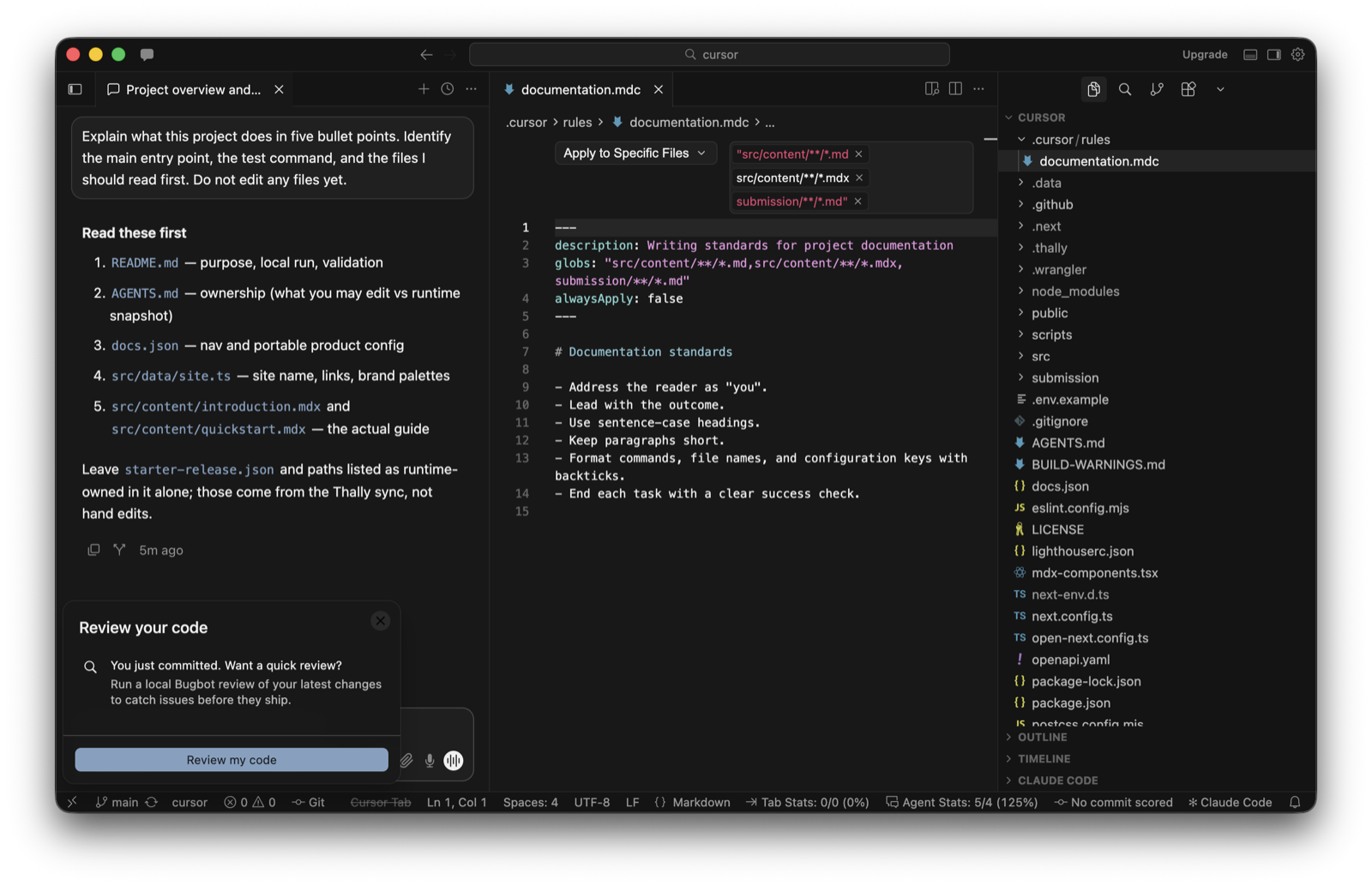
Create `.cursor/rules/documentation.mdc` in the root of your project:
```md
---
description: Writing standards for project documentation
globs: "docs/**/*.md,docs/**/*.mdx"
alwaysApply: false
---
# Documentation standards
- Address the reader as "you".
- Lead with the outcome.
- Use sentence-case headings.
- Keep paragraphs short.
- Format commands, file names, and configuration keys with backticks.
- End each task with a clear success check.
```
The glob limits the rule to Markdown and MDX files under `docs/`.
You can also [download the example rule](/examples/documentation.mdc) and copy it into `.cursor/rules/documentation.mdc` in your project.
 ## Verify the rule
Open a documentation file under `docs/`, then ask Agent:
```text
Rewrite the introduction on this page so it follows the project's documentation standards.
Explain which project rule you applied, then show the proposed change.
```
Review the response and diff. The revised text should address the reader directly, lead with the outcome, and keep the existing meaning.
## Verify the rule
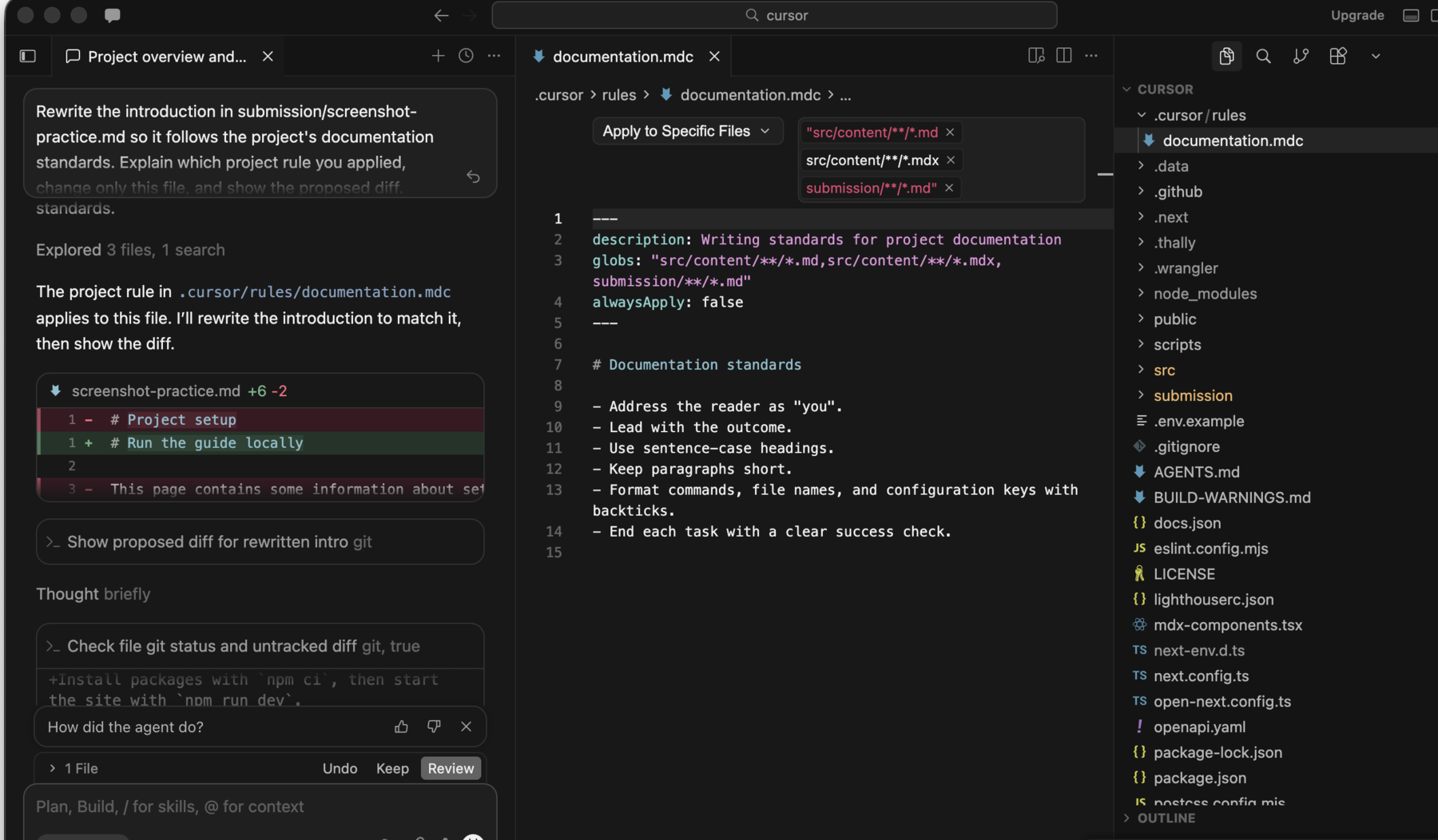
Open a documentation file under `docs/`, then ask Agent:
```text
Rewrite the introduction on this page so it follows the project's documentation standards.
Explain which project rule you applied, then show the proposed change.
```
Review the response and diff. The revised text should address the reader directly, lead with the outcome, and keep the existing meaning.
 ## Keep rules useful
A good rule is short, specific, and easy to verify. Store durable project conventions in the rule. Keep temporary task details in the conversation.
Update the rule through normal code review when the team changes a convention.
## Troubleshooting
### The rule is not applied
Confirm that the file is under `.cursor/rules` and ends in `.mdc`.
If the rule applies to specific files, check that the `globs` pattern matches the file in your prompt. Cursor's official guidance also recommends adding a clear description when a rule should be applied intelligently.
### The rule affects the wrong files
Make the glob more specific. For example, `docs/**/*.mdx` applies only to MDX files inside `docs/` and its subdirectories.
### The instructions conflict
Check for User Rules, other project rules, and `AGENTS.md` files with overlapping guidance. Keep one source of truth for each convention and remove duplicated instructions.
## What success looks like
Agent identifies the rule, applies it to matching documentation files, and leaves files outside the rule's scope unchanged.
> **You have verified the rule:**
The response names the documentation rule, the proposed diff follows its instructions, and no file outside the matching pattern changes.
Read the [official Cursor rules documentation](https://cursor.com/docs/rules) for other rule types and activation options.
## Keep rules useful
A good rule is short, specific, and easy to verify. Store durable project conventions in the rule. Keep temporary task details in the conversation.
Update the rule through normal code review when the team changes a convention.
## Troubleshooting
### The rule is not applied
Confirm that the file is under `.cursor/rules` and ends in `.mdc`.
If the rule applies to specific files, check that the `globs` pattern matches the file in your prompt. Cursor's official guidance also recommends adding a clear description when a rule should be applied intelligently.
### The rule affects the wrong files
Make the glob more specific. For example, `docs/**/*.mdx` applies only to MDX files inside `docs/` and its subdirectories.
### The instructions conflict
Check for User Rules, other project rules, and `AGENTS.md` files with overlapping guidance. Keep one source of truth for each convention and remove duplicated instructions.
## What success looks like
Agent identifies the rule, applies it to matching documentation files, and leaves files outside the rule's scope unchanged.
> **You have verified the rule:**
The response names the documentation rule, the proposed diff follows its instructions, and no file outside the matching pattern changes.
Read the [official Cursor rules documentation](https://cursor.com/docs/rules) for other rule types and activation options.