---
title: Make your first reviewed change
description: Use Cursor Agent to understand a project, make one focused change, review the diff, and verify the result.
url: https://cursor.thally.app/quickstart
---
# Make your first reviewed change
Use Cursor Agent to understand a project, make one focused change, review the diff, and verify the result.
After this quickstart, you will have used Cursor Agent to make and verify one small change in a project you control.
## What you will accomplish
You will:
- open a project and give Cursor time to understand it
- ask Agent for an explanation grounded in real files
- request one small, focused change
- review every changed line
- run the project's checks before accepting the result
## Before you begin
You need [Cursor installed](https://cursor.com/downloads), a signed-in account, and a local project you can edit.
Choose a project with a simple validation command, such as `npm test`, `npm run build`, or the equivalent command for its language.
#### Open the project
Open Cursor, select **Open project**, and choose the project's root folder.
Wait for Cursor to finish indexing the project before asking broad questions about the codebase.
#### Ask Agent for a short explanation
Open Agent with `Cmd + I` on macOS or `Ctrl + I` on Windows and Linux.
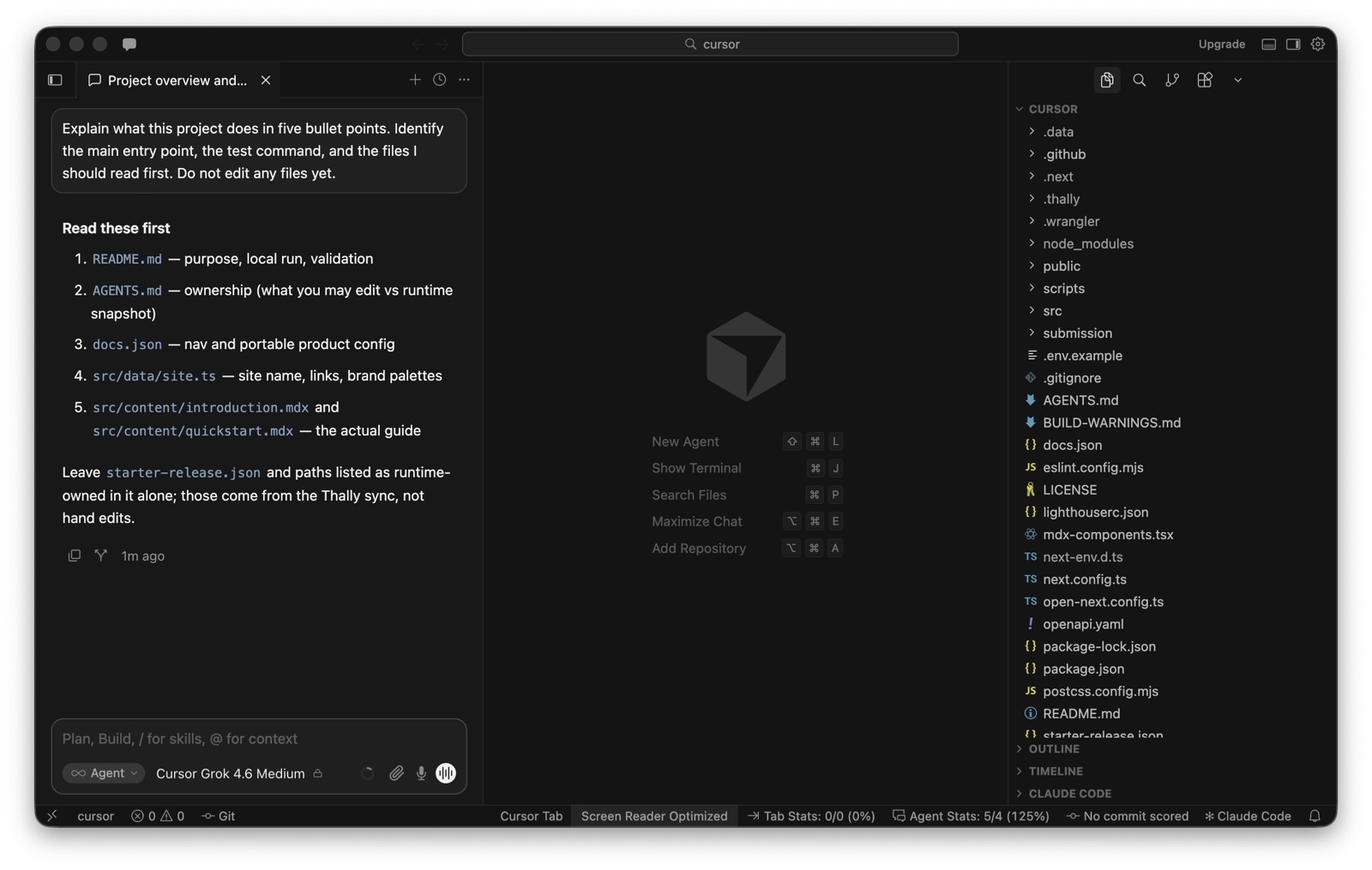
Use a prompt that asks for evidence instead of a generic summary:
```text
Explain what this project does in five bullet points.
Identify the main entry point, the test command, and the files I should read first.
Do not edit any files yet.
```
Check the files Agent cites. If the explanation does not match the project, correct the missing context before continuing.
#### Request one focused change
Choose a small change that is easy to verify. For example, improve an unclear error message, add one missing test, or correct an outdated README instruction.
```text
Update the invalid configuration error so it tells the user which setting is missing.
Keep the change focused, update the relevant test, and do not change unrelated files.
Show me the proposed diff before we finish.
```
Replace the example with a task that fits your project.
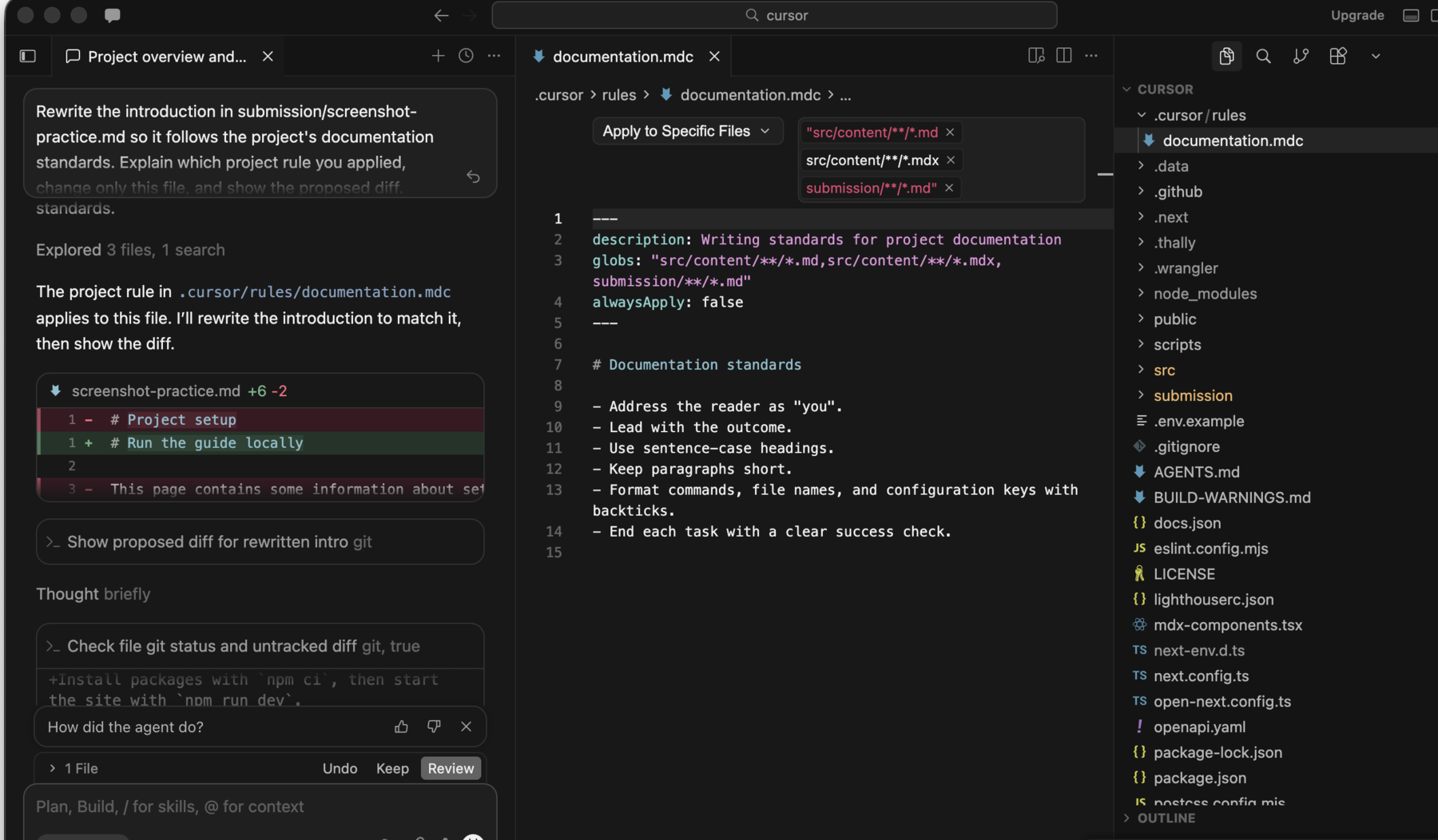
#### Review the diff
Read every changed line before accepting the result.
Confirm that:
- the change solves the task you requested
- the implementation follows the project's existing patterns
- no unrelated files changed
- comments and error messages are accurate
- the test covers the intended behavior
Ask Agent to revise the change if any part is unclear or broader than requested.
#### Run the project checks
Run the project's documented test or validation command. For example:
```bash
npm test
```
If the project has more than one required check, run each one before committing.
## What success looks like
You can explain the change, the diff contains only the files you expected, and the project's checks pass.
## Troubleshooting
### Agent gives a vague explanation
Name the files or feature you care about and ask Agent to cite the code behind each claim. Broad questions can produce broad answers.
### Agent changes too many files
Reject the extra changes and narrow the request. State the exact outcome, the files that are in scope, and what must remain unchanged.
### The validation command fails
Read the first useful error, then ask Agent to explain the failure without editing files. Decide whether the failure came from your change or already existed before you continue.
## Next step
Add a [project rule](/guides/project-rules) so Cursor can reuse your team's instructions in later conversations.